Turn Any Photo Into a Painting: How Photo-to-Painting Works
Here is the thing about turning a photo into a painting: the one you love on your phone is almost never the one that makes a great portrait. You want something that actually looks like your dog, your cat, or the person you are honoring — not a stranger who happens to have their collar or their smile. That is the whole game, and it is easier than you think.
I have spent years helping people figure out which photo will work and which three to skip. The difference between a portrait worth framing and one that sits in a drawer usually comes down to the photo you start with and the style you choose. Good light does most of the work. The rest is knowing what to ask for.
By the end of this guide you will know exactly which photo of your pet or loved one to use, which painting style suits them, and what to expect from the transformation process. You will also see an honest comparison between hand-painted work and generic AI output — because not all services are the same, and you deserve to know the difference before you spend a dime.
Whether you are creating custom dog paintings from your photo as a gift or preserving a memory, the process starts with understanding what makes a photo worth painting in the first place. Let me show you how it works.
Discover how to turn any photo into a painting with our guide on styles, techniques, and comparisons.
The Transformation Explained
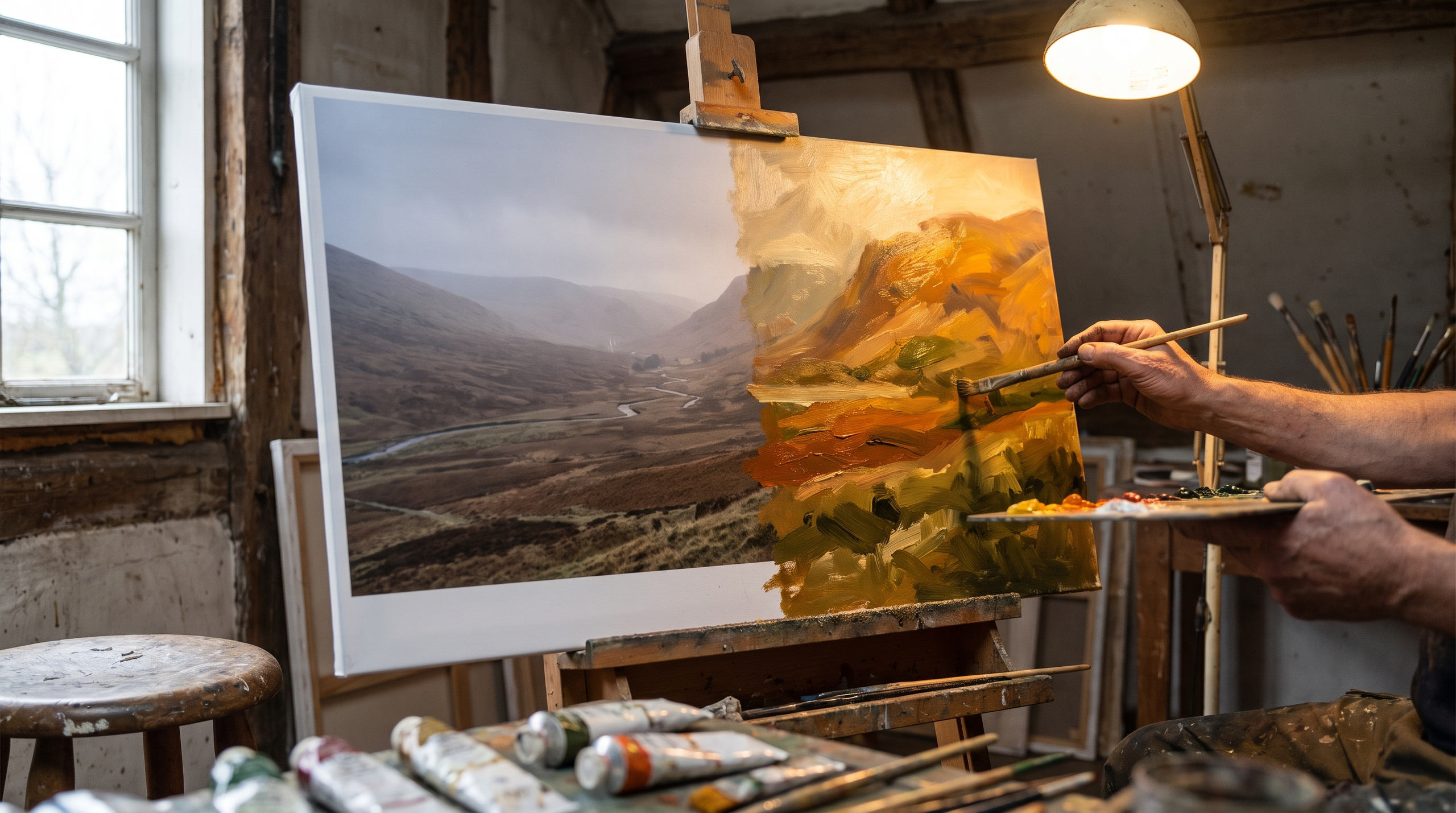
Here is the thing about turning a photo into a painting: the technology reads your image the way an artist would — composition, light, where the subject sits in the frame — and then applies brushstrokes, texture, and color in layers that feel hand-painted. It is not a filter. The system analyzes each element of your photo and rebuilds it in the style you choose, whether that is oil, watercolor, or something with a Renaissance feel.
The process starts with the structure of your original image. The software identifies edges, shadows, and focal points, then translates those into painterly marks. If your dog is backlit in the photo, the painting will show that same glow — but rendered in strokes instead of pixels. If your subject has sharp eyes and soft fur, the transformation holds that contrast and makes it feel intentional.
How Turn Any Photo Into a Painting Technology Works
There are three pathways for converting a photo into a painting: AI-assisted rendering, manual digital painting, and hybrid workflows that combine both. AI-assisted tools analyze your photo's composition, lighting, and structure, then apply the chosen artistic style with precision. Manual digital painting involves an artist working pixel-by-pixel in software like Photoshop or Procreate. Hybrid workflows start with AI and finish with human refinement — correcting details the algorithm missed or adjusting color balance to match the subject's personality.
Most modern services use AI-assisted rendering because it is fast and consistent. The technology has improved dramatically in the last few years. Early versions produced results that looked obviously digital — flat color, repetitive brush patterns, no depth. Now, the best systems generate paintings with varied brushwork, realistic texture, and lighting that feels three-dimensional.
What the Technology Preserves
The transformation keeps what makes your photo recognizable: expression, pose, the tilt of a head, the way light catches an eye. It does not flatten your subject into a generic version of itself. A good photo-to-painting process holds onto the details that make the image feel like your pet or your person — the specific curve of a smile, the exact color of a collar, the way fur falls around the face.
What changes is the medium. Smooth gradients become visible brushstrokes. Clean digital edges turn into soft, painterly transitions. Backgrounds simplify or blur in ways that feel artistic rather than accidental. The result is something that looks like it was painted on canvas, not printed from a file.
The best transformations feel like someone painted your photo from life — not like a computer guessed at what a painting should look like.
If you are comparing services, look at how they handle fine details like whiskers, individual hairs, or the texture of fabric. Cheap tools smudge everything into soft blobs. Quality systems keep sharpness where it matters and let other areas breathe. You want a painting that feels deliberate, not like someone ran a blur filter and called it art.
Subjects: Pets and People
Here is the thing about choosing a subject: not every photo works equally well as a painting, but almost any photo of a pet or a person can work if you pick the right one. The subjects that make great portraits are the ones where you already love the expression, the light is decent, and the background does not fight for attention. Pets and people are the two categories that convert beautifully because they have personality — and personality is what makes a portrait worth hanging.
What Makes a Photo Portrait-Ready
You do not need a professional shoot. You need a photo where the subject is in focus, their face is clear, and the lighting is soft and even. Good light does most of the work. A snapshot taken in natural light by a window or outdoors in the golden hour will almost always beat a photo shot under harsh overhead bulbs, even if the fancy one was taken with a better camera. The photo everyone gets wrong is the one where the pet or person is tiny in the frame — cropping helps, but you want them at their eye level from the start.
Pets — especially dogs and cats — are the most popular subjects because their faces translate beautifully into painted portraits. A close-up of your dog mid-pant or your cat giving you that slow blink makes a portrait that feels alive. Landscapes, weddings, and family moments work too, but the magic happens when the subject has a face you recognize. You want something that actually looks like her — not a stranger who happens to have her collar.
Popular Subjects That Convert Well
Pets dominate the category, and for good reason. A single dog or cat portrait in Renaissance or royal style is a gift people frame immediately. Multi-pet portraits work when the photo already has them together and looking reasonably in the same direction — do not try to force a group shot from three separate photos unless you are prepared for it to feel a little off. People portraits — solo or couples — are the second most common choice, especially for anniversaries, weddings, or memorial gifts. The little details that sell it are the same: clear faces, good light, and an expression that feels right.
The shot that actually works is the one where you can see their eyes clearly and the background lets the photo breathe.
You can also turn photos of meaningful moments into paintings: a wedding photo, a family portrait, or even a landscape from a trip you will never forget. The key is that the subject matters to you. A portrait worth framing is not about technical perfection — it is about the moment you want to keep in the room. If you are considering custom dog paintings from your photo, start with the image that makes you smile every time you scroll past it on your phone.
Styles of Painting
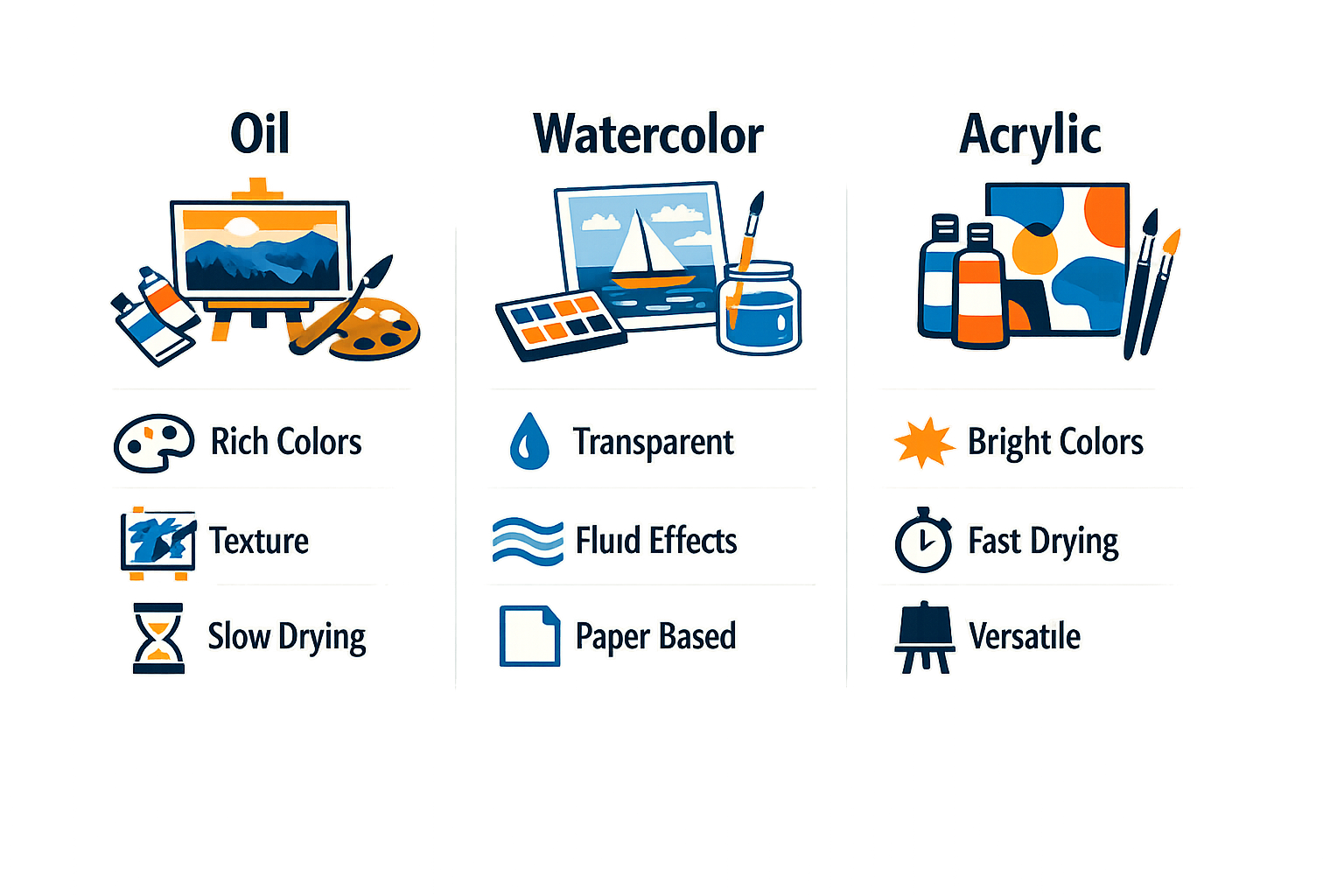
The style you choose changes everything. A Renaissance portrait makes your golden retriever look like nobility — soft edges, warm tones, the kind of thing you hang in the living room and guests ask about. Watercolor gives you something lighter, almost dreamy, with colors that bleed into each other the way they do on real paper. Oil painting brings texture and depth, the brushstrokes visible if you look close enough.
Here is the thing: not every style works for every photo. A busy background that disappears in oil might look cluttered in watercolor. A close-up that shines in Renaissance can feel too formal in a loose, impressionist style. The era you choose sets the mood, and the mood has to match the subject.
Renaissance and Royal Portraits
This is the style people recognize immediately — your pet in a ruffled collar, standing in front of a dark background like they just stepped out of a Dutch master painting. It works because it is dramatic without being over the top. The light hits one side of the face, the rest falls into shadow, and suddenly your tabby cat looks like she owns a castle.
Renaissance works best with pets who have expressive faces and good bone structure. Dogs with defined features — think German Shepherds, Huskies, even Corgis — translate beautifully. Cats with strong profiles do well here too. The style loves contrast, so if your pet has a mix of light and dark fur, this is your lane.
Watercolor and Soft Styles
Watercolor feels lighter, more personal. The edges are soft, the colors gentle, and the whole thing has a handmade quality that oil and Renaissance do not. This style works for pets with softer features — fluffy dogs, long-haired cats, anything where the fur itself is part of the charm.
It also works well for memorial portraits. There is something about watercolor that feels tender without being sad. The colors do not shout; they sit quietly on the wall and remind you of the good days. If you are turning a photo into a gift for someone who just lost a pet, watercolor is often the right call.
Oil Painting and Textured Finishes
Oil gives you texture — the kind you can almost feel through the screen. Brushstrokes are visible, colors are rich, and the whole piece has weight to it. This is the style that looks expensive, the one that makes people lean in to see if it is real paint.
Oil works for almost any subject, but it shines with photos that already have good composition. A well-framed shot of your dog in natural light turns into something you would see in a gallery. A snapshot with a messy background — not so much. The style does not hide flaws; it amplifies what is already there.
The style you pick is not just aesthetic — it is the difference between a portrait that feels like them and one that feels like a stranger wearing their face.
Modern and Abstract Interpretations
Some services offer modern takes — bold colors, simplified shapes, styles that lean more toward graphic art than classical painting. These work when you want something playful or contemporary, something that fits a modern home without the formality of a Renaissance piece.
Abstract styles are hit or miss. When they work, they are striking. When they do not, they lose the details that make the portrait feel like your pet. If you go this route, make sure the preview shows you enough of their face that you still recognize them. The point is to turn any photo into a painting that feels like theirs, not just any painting.
How to Choose the Right Style
Start with the photo. If it has drama — strong light, a clear focal point, a simple background — lean toward Renaissance or oil. If it is softer, with natural light and a relaxed vibe, watercolor is your friend. If you are not sure, look at the examples the service provides and find the one where the pet still looks like themselves.
The style should match the room it is going in, too. A formal Renaissance portrait works in a living room or study. Watercolor fits a bedroom or a quieter space. Oil can go anywhere if the colors are right. Think about where you will hang it before you commit.
For more ideas on turning your pet into art, check out Custom Dog Paintings From Your Photo: Styles, Process & Pricing.
Digital vs Canvas
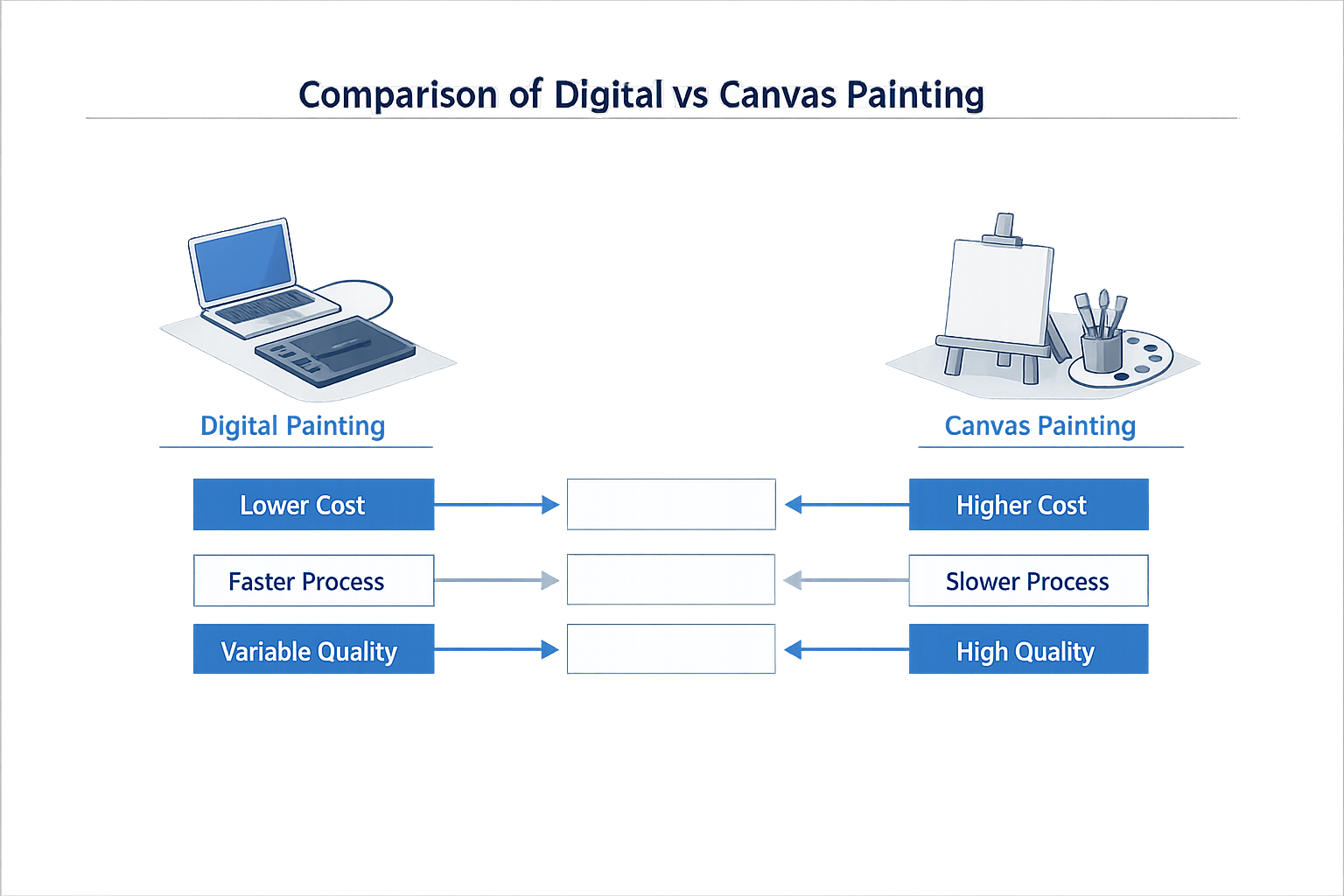
Here is the thing: when you turn any photo into a painting, you are choosing between a digital file and a physical canvas. Both are paintings — one lives on your screen, the other on your wall. The difference is not just format; it is how you plan to use it.
Digital paintings are files. You download them, print them yourself, or send them to a print shop. Canvas paintings arrive stretched, framed, and ready to hang. The choice depends on whether you want flexibility or convenience.
What Digital Paintings Offer
Digital paintings give you options. You get a high-resolution file that you can print at any size, on any material, whenever you want. If you already have a favorite frame shop or you want to test a few sizes before committing, digital is the way to go.
The file is yours — print it once, print it ten times, give copies to family. You control the timeline and the final presentation. The downside is that you are responsible for the printing and framing, which means more decisions and more steps before it is on your wall.
What Canvas Paintings Offer
Canvas paintings are finished products. They arrive stretched on a wooden frame, sometimes with a protective varnish, ready to hang. No trips to the frame shop, no decisions about paper stock or matting. You open the box, find a spot, and you are done.
The texture is built in — you see brushstrokes, you feel the weave of the canvas. It is the closest thing to a traditional hand-painted portrait without hiring a painter. The tradeoff is that you get one copy, one size, and if you want another, you order another.
| Feature | Digital Painting | Canvas Painting |
|---|---|---|
| Format | High-resolution file | Physical stretched canvas |
| Printing | You handle printing and framing | Arrives ready to hang |
| Flexibility | Print multiple sizes and copies | One copy, one size |
| Texture | Depends on print method | Built-in canvas weave and brushstrokes |
| Timeline | Instant download | Ships after production |
| Cost | Lower upfront, printing separate | Higher upfront, includes framing |
Which One to Choose
If you want to test a few sizes or you already have a framing setup you love, go digital. If you want something that feels like a real painting the moment it arrives, go canvas. Neither is better — they serve different needs.
For custom dog paintings from your photo, canvas is popular because it feels like a finished gift. For digital, the appeal is control and the ability to print multiple versions without reordering.
The photo you choose works the same way for both formats. Good light, clear expression, and enough resolution — those are the constants. The format is just how you want to receive the final piece.
The Free Preview as Proof
Here is the thing about ordering something sight-unseen: you should not have to. A preview is the moment you know whether the portrait is worth hanging or whether you need to try a different photo. It is the difference between a guess and a decision.
Most services that turn any photo into a painting offer a free preview before you commit. You upload your photo, pick a style, and within a day or two you see exactly what the finished piece will look like. No credit card, no obligation — just proof that the photo you chose actually works in the style you picked.
What a Preview Shows You
A good preview is not a thumbnail or a sketch. It is the full painting, rendered at the resolution and in the style you selected, so you can see the brushwork, the color palette, and whether your pet's expression survived the transformation. You are looking for three things: does it look like them, does the style flatter the photo, and would you hang it.
If the answer to any of those is no, you pick a different photo or a different style and request a new preview. The preview is your safety net — it lets you course-correct before anything ships.
How the Process Works
The steps are simple. You upload a high-resolution photo, choose your painting style, and submit. The system processes the image and delivers a digital preview, usually within 24 to 48 hours. You review it on your screen at full size, zooming in to check details like the eyes, the background, and the brushstroke texture.
Step 1
Upload your photo
Use a high-resolution image with good lighting and minimal background distractions. The clearer the source, the better the preview will look.
Step 2
Select your style
Choose from oil, watercolor, Renaissance, or another style. Each one handles light and detail differently, so pick the one that suits your subject.
Step 3
Review the preview
When the preview arrives, open it full-screen. Check the face, the background, and the overall composition. If it works, approve it. If not, request a revision or try a different photo.
The preview is also where you catch small issues — a distracting shadow, a cropped ear, a background element that pulls focus. Better to fix it now than after the canvas arrives.
Why Previews Matter for Gifts and Memorials
When you are ordering a portrait as a gift or a memorial, the stakes are higher. You do not get a second chance to make it right, and you cannot afford to guess. The preview is your confirmation that the portrait honors the person or pet you are celebrating.
For memorial portraits especially, the preview is where you make sure the expression is the one you want to remember — soft, warm, and true to life. If something feels off, you adjust before the piece becomes permanent. That peace of mind is worth the extra day or two the preview takes.
The preview is not a formality. It is the moment you decide whether to move forward or start over. Trust it.
Honest Comparison: Hand-Painted vs Generic AI
Here is the thing about turning a photo into a painting: not all methods are created equal. You have hand-painted commissions, generic AI tools you can find for free online, and — somewhere in between — services that combine the two. Each has a place, but understanding what you actually get for your money makes the difference between something you hang and something you hide.
What Hand-Painted Really Means
When you commission a hand-painted portrait, you are paying for hours of human work. An artist studies your photo, sketches a composition, mixes paint, and builds the portrait layer by layer. The result is a one-of-a-kind physical object with texture, brushstrokes, and the small imperfections that make it feel alive. It takes weeks, sometimes months, and the price reflects that time and skill.
The upside: you get something truly unique. The downside: turnaround is slow, revisions are limited, and if the artist misreads your pet's expression or gets the color wrong, fixing it is not always simple. You are also trusting one person's interpretation of your photo — and not every artist is equally good at capturing personality.
What Generic AI Actually Delivers
Generic AI tools — the kind you upload a photo to and get a stylized image back in seconds — are fast and cheap, sometimes free. They apply filters or train on huge datasets to mimic painting styles. You get something that looks vaguely painted, but the quality is wildly inconsistent. Eyes can look flat, fur can turn into mush, and the whole thing often feels more like a photo filter than a portrait.
The advantage: speed and cost. The disadvantage: no human is checking whether the output actually looks like your dog. You might run the same photo five times and get five different results, none of them quite right. And because the process is automated, there is no one to ask for a revision or to fix the part that does not work.
| Method | Turnaround | Revisions | Texture & Detail | Cost |
|---|---|---|---|---|
| Hand-painted commission | Weeks to months | Limited | High — real brushstrokes, unique | High |
| Generic AI tool | Seconds to minutes | None — re-run only | Low — often looks filtered | Free to low |
| Curated AI + artist review | Days | Yes — preview-based | Medium to high — refined by eye | Moderate |
The Middle Ground: Curated AI With Human Oversight
The sweet spot is a service that uses AI to generate options quickly but has a real person — an artist or editor — review and refine the output before you see it. This combines the speed of automation with the judgment of a human eye. You get a preview, you can request changes, and someone is accountable for whether the final portrait actually looks like your pet.
This is the model that works for most people who want something worth hanging but do not want to wait three months or pay commission prices. You are not getting a one-of-a-kind hand-painted canvas, but you are also not getting a generic filter that might turn your golden retriever into an abstract smudge.
The best portraits — digital or canvas — are the ones where someone checked that the eyes still look like hers before calling it done.
Why the Workflow Matters More Than the Tool
Over 72% of professional fine art photographers now integrate at least one painterly post-processing stage into their workflow, and studios that incorporated painterly rendering into client deliverables reported a 22.7% average increase in premium-tier bookings over 18 months. The lesson: it is not about whether AI or a human does the work — it is about whether the process includes quality control and accountability.
If you are choosing a service, ask: do I get a preview before I pay? Can I request changes? Is a real person checking this before it ships? Those answers tell you more than the label "hand-painted" or "AI-generated" ever will.
For more on how to evaluate portrait quality before committing, see our guide on custom dog paintings from your photo.
Conclusion
Here is the thing: the photo you love on your phone can become something you actually hang. The transformation from snapshot to painted portrait is not magic — it is choosing the right style for the subject, starting with a photo that has good light and a clear expression, and trusting the process to do what flat JPEGs cannot.
You have seen how custom dog paintings and cat portraits turn everyday moments into art worth framing. You know the difference between digital files and canvas prints, between hand-painted work and generic AI filters. You understand that a free preview lets you see the result before you commit, and that the style you choose — Renaissance, watercolor, royal — should feel like the subject, not just look expensive.
The brain processes painterly textures differently than photographs. Viewers spend longer with a painted portrait because the brushstrokes, the soft edges, the way light sits on the surface — it all creates depth that a raw photo rarely achieves. That is why the one you keep coming back to is usually the one that has been painted.
If you have a photo that deserves more than a digital album, this is how you turn any photo into a painting. Pick the shot where the light does most of the work, choose a style that matches the subject's personality, and let the preview show you what is possible. No studio required — just the photo you already have and a process that makes it feel like them.